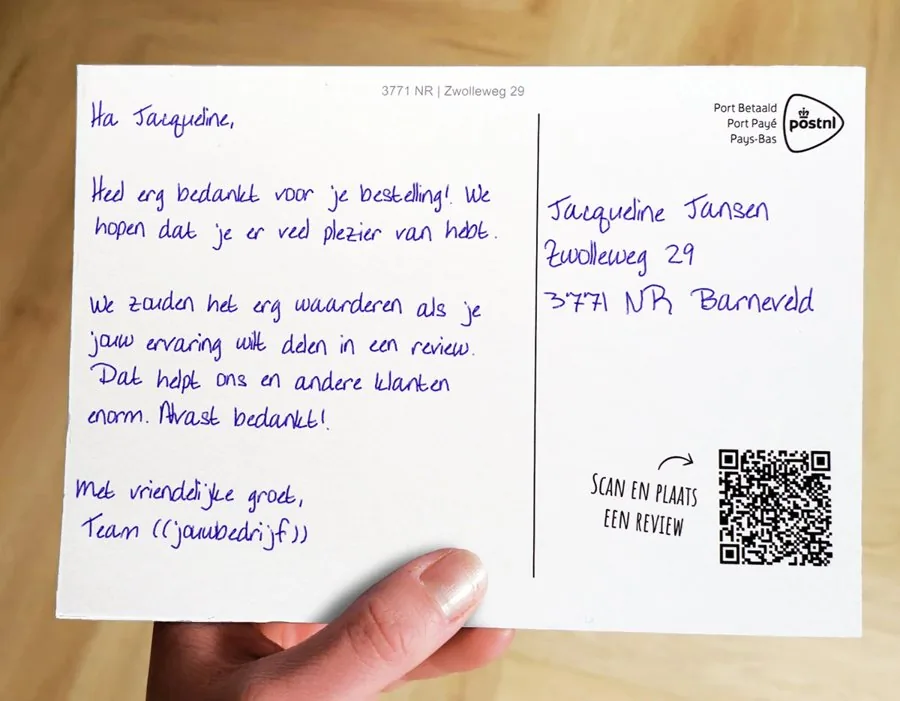
More reviews from customers who are already satisfied.
Emails quickly get lost in a full inbox. A card literally lands on the doormat, stays there and gets noticed again when things are quieter. Lightr writes every card with a real pen, and a unique QR code takes your customer straight to the right review page.
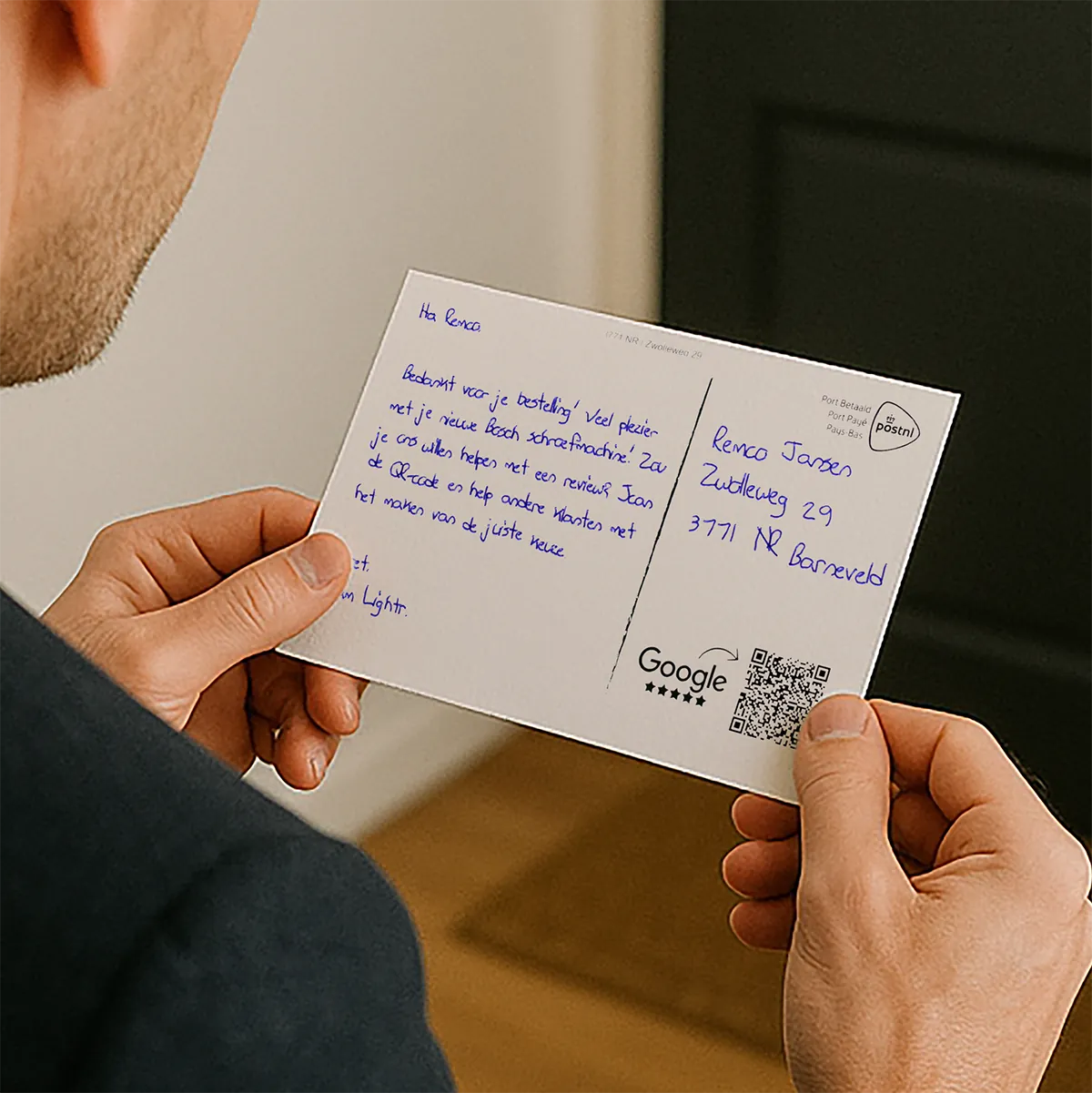
- Real pen
- Sent automatically
- Unique QR code
- Google, Trustpilot or your own page
A happy customer doesn’t automatically have time to leave a review.
Your customer is happy. But the day carries on. Their inbox fills up, a message pops up, and the review they meant to leave later is forgotten within the hour.
Stand out, especially now that everyone communicates digitally.
Inbox 38 unread
Your parcel has been deliveredView your order09:12
Today only: 20% offNewsletter09:40
Invitation: meeting at 14:00Calendar10:05
How was your order?Leave a review10:31
Your invoice is readyAccounts11:02
3 new notificationsSocial media11:15
The review request is in there, sitting among everything else that comes in.
A handwritten card gets a different kind of attention.
A card isn’t buried among twenty notifications. It lands on the doormat, gets picked up and often stays around for a while. And because Lightr really writes it on paper with a real pen, it doesn’t come across as yet another automated marketing message.
That gets you more than just a chance at a review.
Ask for a review while the experience is fresh.
Product delivered
After the waiting period you choose, a card with a QR code to your review page.
Automatically via an integrationJob completed
After a fitting, installation or visit, a card asking how it went.
Automatically via an integrationHotel stay completed
A few days after check-out, a card with a QR code to your review page.
Automatically via an integrationService request closed
After resolving a query, a card asking them to share their experience.
Automatically via an integrationA visit to your shop
A card to customers you know, with a short, neutral request for a review.
Upload a list and sendHow businesses are already using handwritten post.
A blinds and awnings company sent 257 customers a handwritten card after installation. 72 customers scanned the QR code through to the Google review form.
That’s 28% of recipients: the share of customers who opened the review form via the card. A scan isn’t the same as a posted review.
Postcard A5After installationQR straight to GoogleScans up to 243 days later
View the case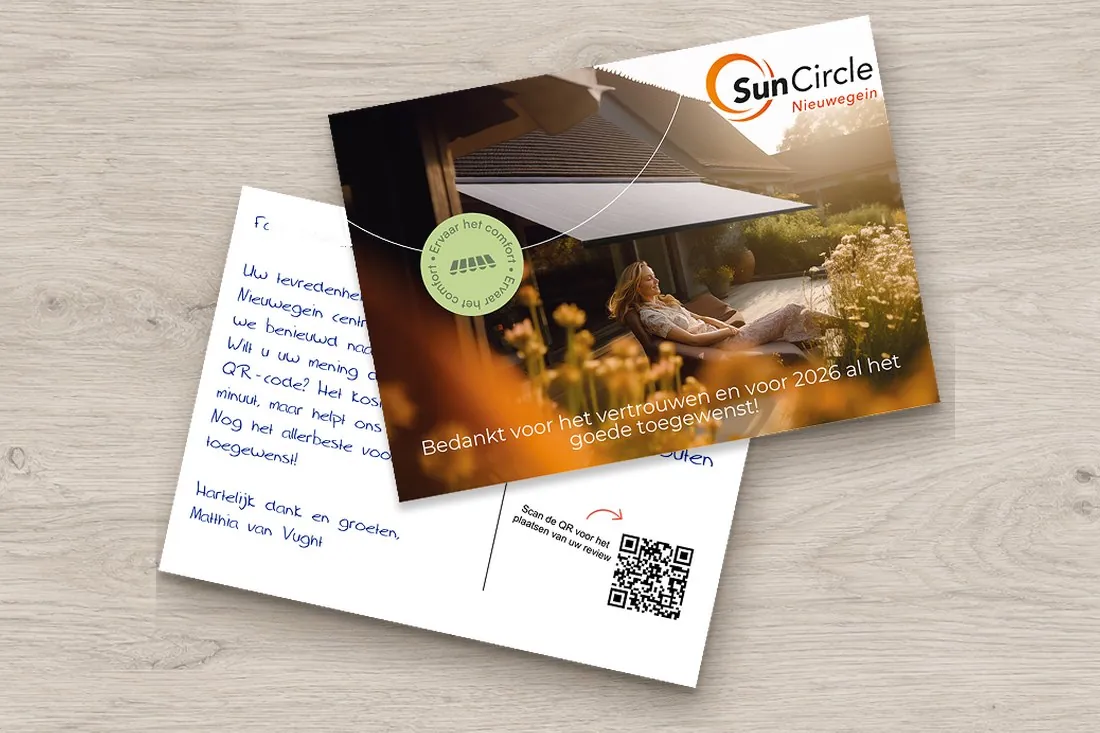
From delivery to review, without you lifting a finger.
As soon as your webshop or CRM registers a delivery, Lightr automatically creates the card and sends it at the moment you choose.
You set it up once Waiting period, for example 7 days Your text Your review page
- Day 0Order delivered
- Via webhook or integrationCard created
- After your waiting periodWritten and sent
- Day 8 or 9On the doormat
- Whenever they have timeQR code scanned
- ResultReview posted
You don’t have to figure out how to ask for it.
Hi Sophie, we hope you’re enjoying your order. Happy with it? A quick review would help us enormously. Scan the QR code and you’ll go straight there.
Best wishes, {sender}
Hi Sophie, thanks for choosing us. We’d love to know how you found your purchase. Got a minute? Just scan the QR code to share your experience.
Best wishes, {sender}
Hi Sophie, is everything as it should be? We’d love to know. Scan the QR code and tell us what you think.
Best wishes, {sender}
Dear Sophie, our engineer came round today. Is everything as it should be? We’d love to hear from you, even if there’s something we could do better.
Kind regards, {sender}
 Rather talk it through with someone?
We’re happy to help you find the right words for your customers.
Book a call with Maas
Rather talk it through with someone?
We’re happy to help you find the right words for your customers.
Book a call with Maas
Automate your review flow.
A/B test first, then let the most-scanned variant run automatically.
Test two texts or designs
Upload a group of customers from Excel or CSV and test two variants side by side.
CSV Excel
Carry on with the most-scanned variant
You can see how many customers scanned each variant. Your review system tells you how many reviews each one brought in.
A/B test Scans per variant
Your chosen variant then runs automatically
Shopify, your CRM or your own system creates that card automatically after every delivery.
Shopify HubSpot+ more
Including AI campaign manager A/B testing Scan to your CRM Scans per recipientAll integrations
Worked example: what could your review campaign achieve?
Fill in your own assumptions; these aren’t guaranteed results. Price based on an A6 card sent in the Netherlands.
Campaign cost excl. VAT · per expected review
More than just reviews
You send 500 genuinely handwritten cards. Some of your customers scan the QR code and leave a review. But the other cards aren’t wasted. Even without a scan, a genuinely handwritten card shows you’ve gone to some trouble for your customer. So every card can add value, even when you can’t measure it directly.
Which format best suits your brand?
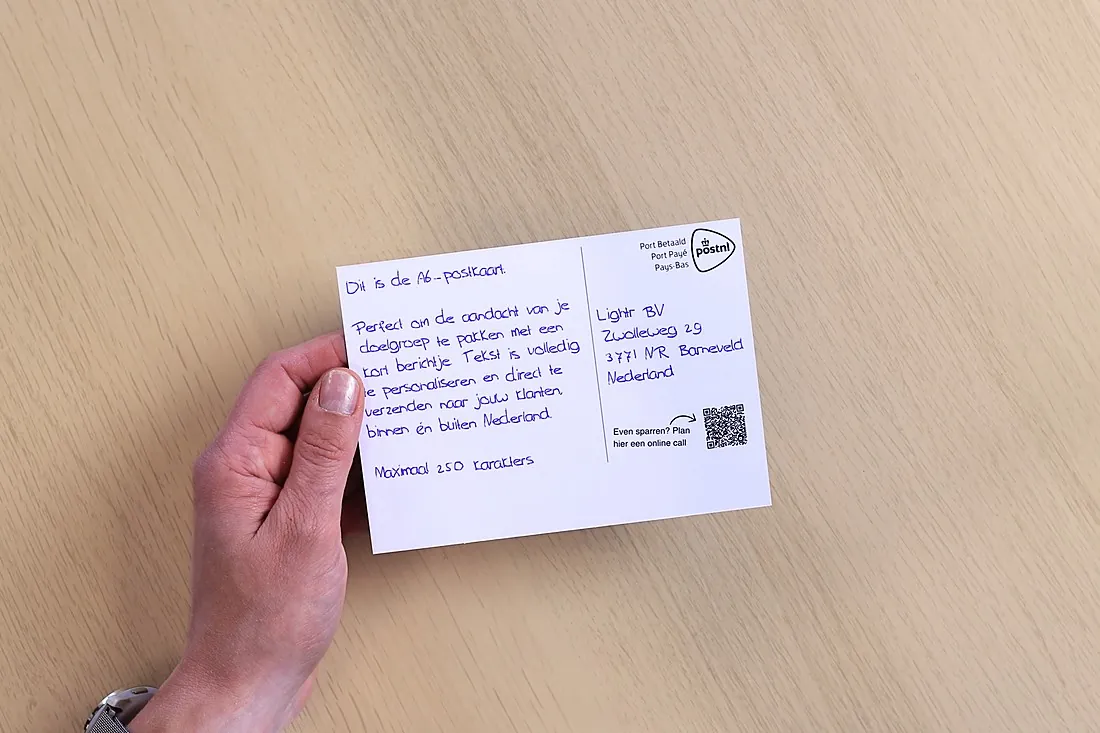
Direct and efficient
Choose this if you simply want the easiest way to ask for a review: one question, one scan.
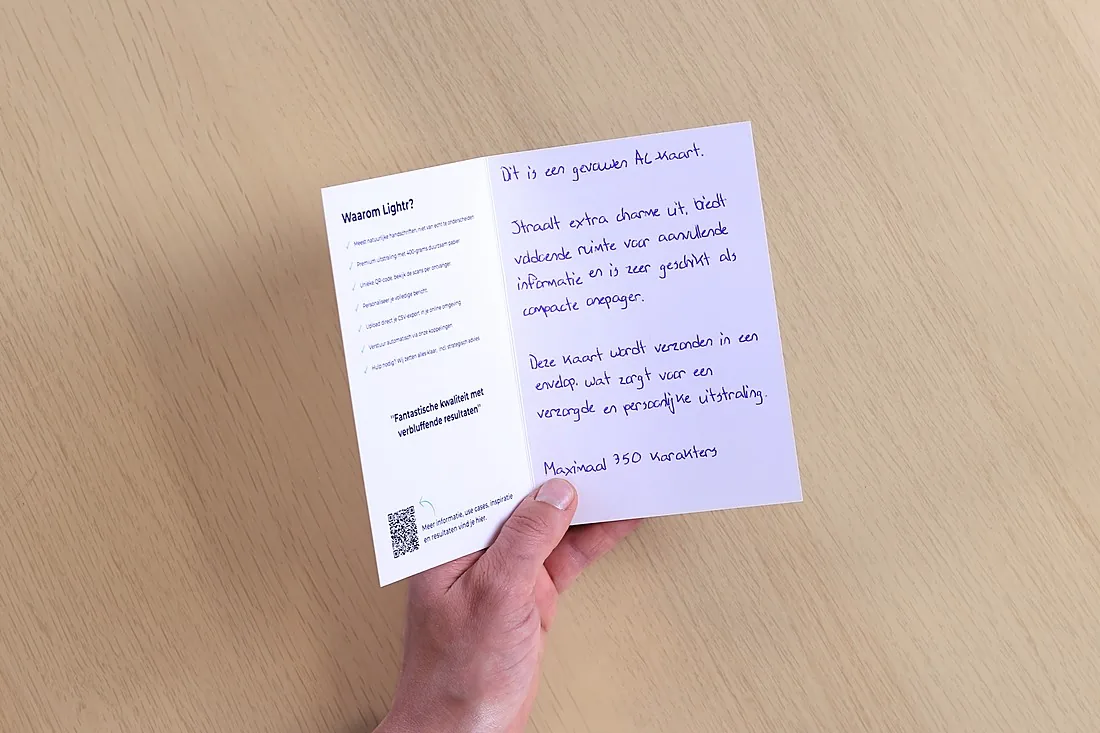
A stronger brand experience
Choose this if the card should showcase your brand too, with your own design and room for a written message.
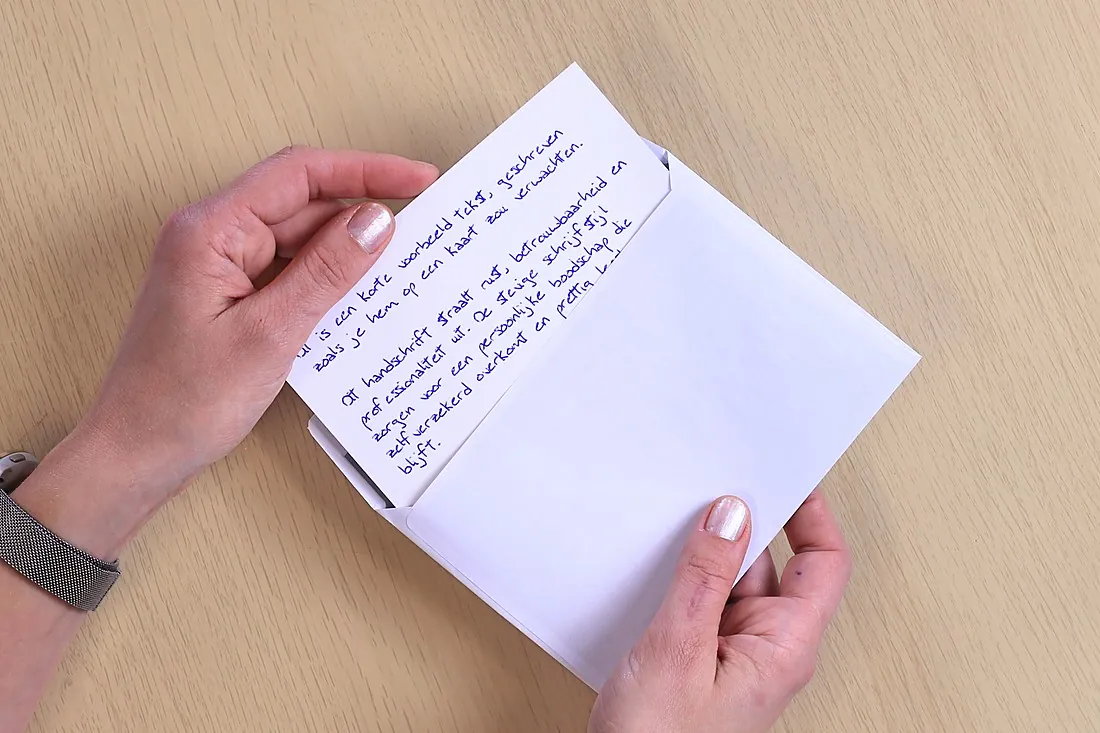
Extra attention when it lands
Choose this if opening it should be a moment in itself: your customer can tell straight away that it’s not a mailing.
From €1.24 per A6 card for 2,500 cards sent within the Netherlands, including writing, printing and postage. Outside the Netherlands, a per-card surcharge applies. Excl. VAT.View all formats and pricing
Get more reviews with handwritten cards.
Send a handwritten card when customers are at their happiest, with a single scan to your review page. Start with just one card, or book a call and we’ll help you work it out.
- No credit card required
- No subscription
- From a single card
- Free account
Questions about reviews.
 Can’t find your question?
Jacqueline will be happy to help you personally.
0342 781 008
info@lightr.nl
See all FAQs
Can’t find your question?
Jacqueline will be happy to help you personally.
0342 781 008
info@lightr.nl
See all FAQs
Can the code link to Google or Kiyoh?
Yes. The code points to whatever address you enter: your Google review page, Kiyoh, Trustpilot or your own form. Every recipient gets their own code.
Can I see who scanned?
You can see which recipient scanned, how often and when they last scanned. You can’t see who was holding the card at that moment: the scan itself is anonymous.
Can I offer something in return for a review?
Careful. Google doesn’t allow any reward in exchange for a review, not even an honest one, and according to the ACM (the Dutch consumer authority) a rewarded review must be clearly identifiable as such. If you want to give something, make it a thank-you that doesn’t depend on a review. The scan webhook does tell you exactly who scanned, so you can follow up in a targeted way.
How many recipients scan the QR code?
There’s no fixed percentage. It depends on the goal, your relationship with the recipient and how clear the request on the card is. A scan is a response, not a review or revenue.
What if a customer is unhappy?
You decide who gets a card, through your list or a rule in your system. Leave out customers with an open complaint, or send them a sorry card first.
How much text fits on a card?
Up to 250 characters on an A6 postcard, 350 on a folded A6, 450 on an A5, 400 on a square card, 550 on a flat or folded A5, and 900 on an A4 letter.