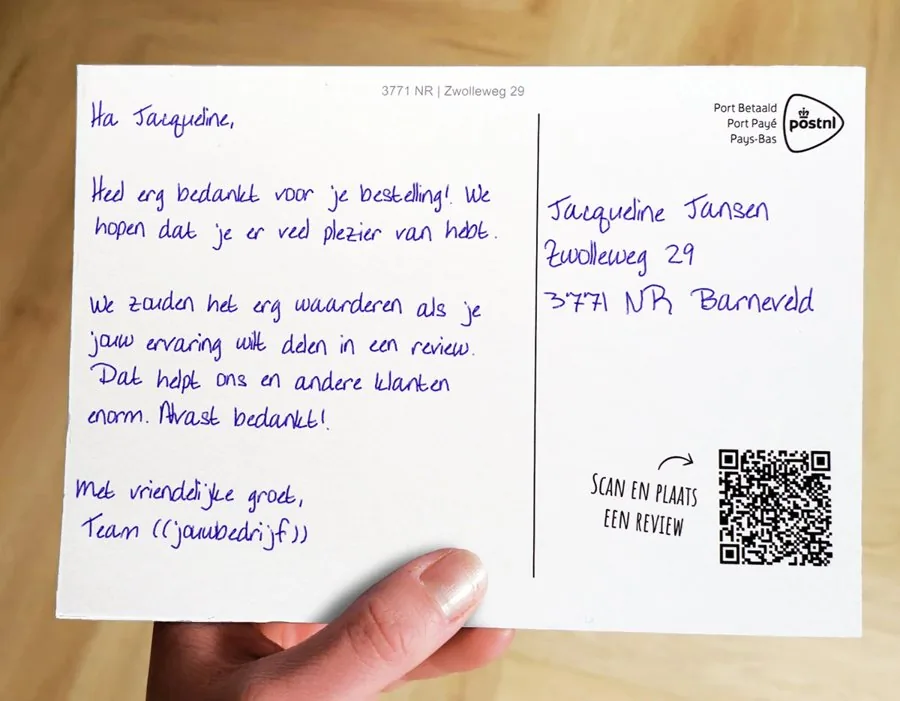
An invitation that doesn’t end up in spam.
Invite guests with a card written with a real pen and a unique QR code linking to your registration page. Then thank them the same way afterwards.
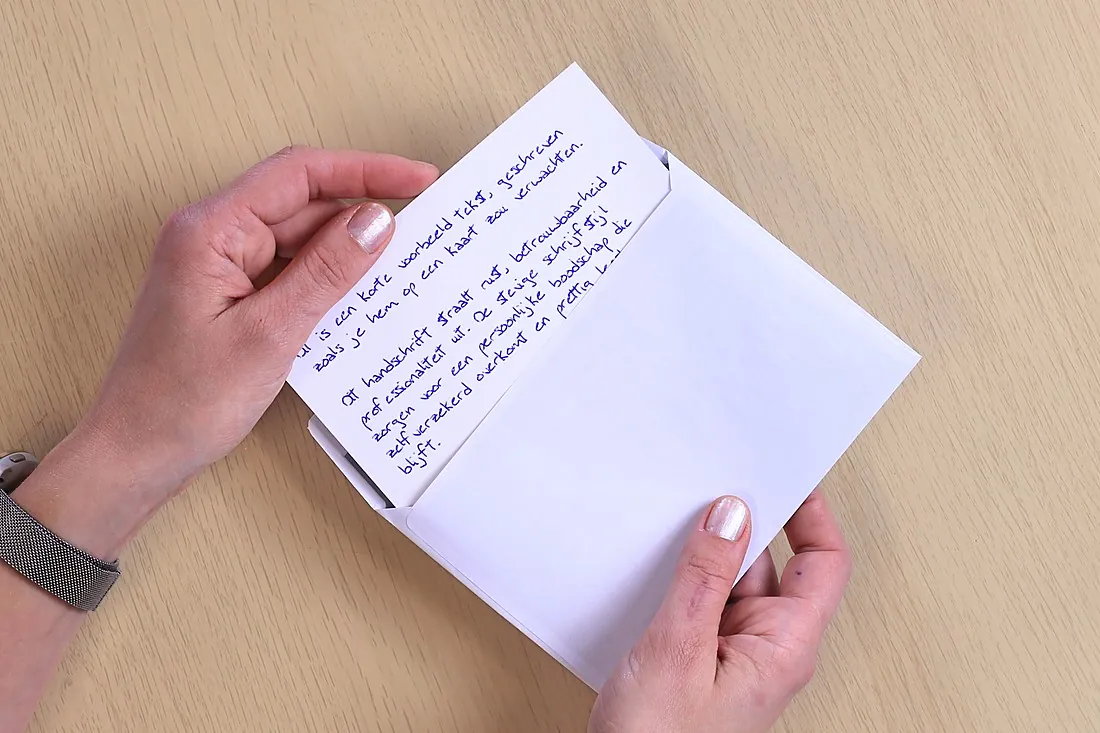
- Real pen
- A unique text every time
- Measurable QR
- From 1 card
400+businesses send
with Lightr
4.7★★★★★
Google reviews








Your invitation is up against every other one.
Webinars, customer days, drinks: everyone sends invitations by email. Yours gets lost among the rest, and you don’t find out who isn’t coming until the room is half empty.
Inbox 52 unread
Webinar: this year’s trendsSoftware supplier08:30
Save the date: customer daySupplier A09:05
You’re invited to our drinksNetworking club09:44
Invitation: our eventYour invitation10:15
Last tickets for the trade showOrganiser10:52
Reminder: webinar tomorrowSupplier B11:20
Your invitation is in there too, along with all the others.
A handwritten card gets a different kind of attention.
A card isn’t buried among twenty notifications. It lands on the doormat, gets picked up and often stays around for a while. And because Lightr really writes it on paper with a real pen, it doesn’t come across as yet another automated marketing message.
So your invitation becomes something that stays on the desk, rather than a calendar request that gets dismissed.
From invitation to follow-up, for your own event.
Advance invitation
A personal invitation to your customer day, opening or webinar, with a QR code to register.
Upload a list and sendReminder shortly before
Just before the event, registered guests get a card with the practical details.
Schedule it yourself via the platformFollow-up afterwards
A thank-you for coming, with a QR code to the presentation or to book a meeting.
Upload a list and sendNo-shows
Anyone who signed up but didn’t come gets a card showing what they missed.
Upload a list and sendHere’s what your first campaign could look like.
From guest list to a full house.
You’re organising a customer day. A few weeks beforehand, every guest gets a personal invitation with a QR code linking to the registration page.
- Trigger
- Guest list from your CRM
- Timing
- A few weeks before the event
- Card
- Postcard A6, written with a real pen
- QR destination
- Your registration page
- Goal
- Registrations from the right guests
Dear {first_name},
on {date} we’re holding our customer day, and we’d love you to join us.
Scan the QR code to sign up.
See you there! {sender}
Fictional example, not a customer case.
This is what an invitation looks like.
Written with a real pen, with a unique QR code linking to your registration page.
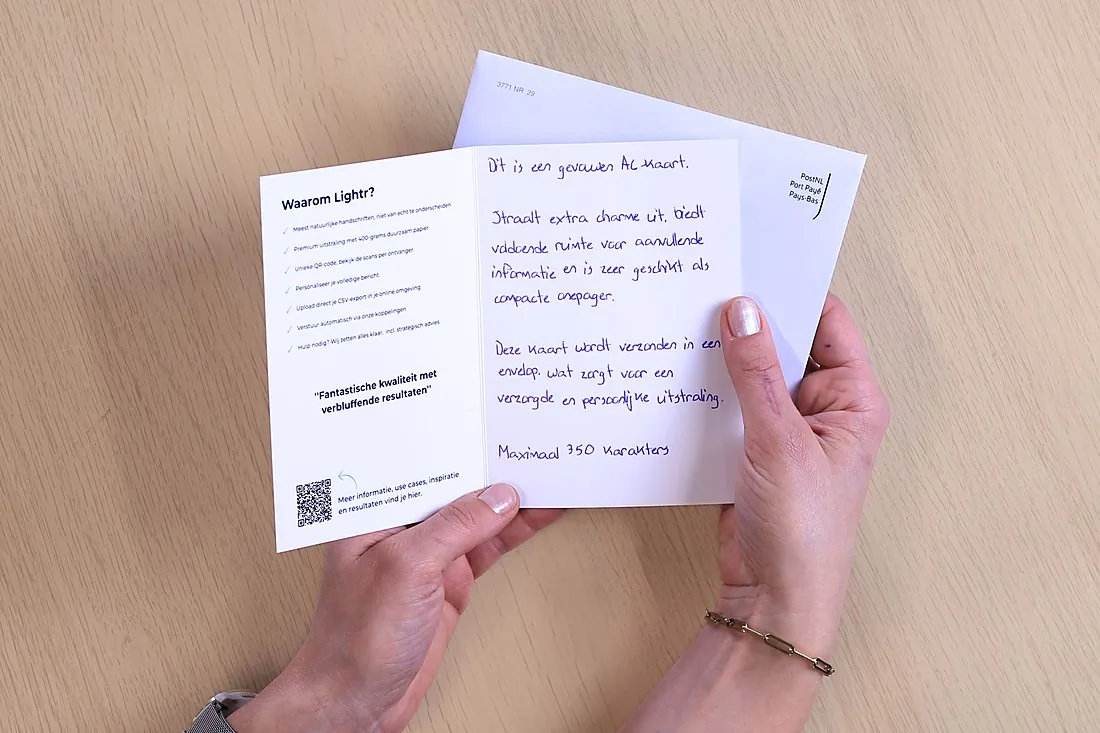
You’re invited
Room for the programme and a personal note.
With the address written by pen
For an invitation that should feel special.
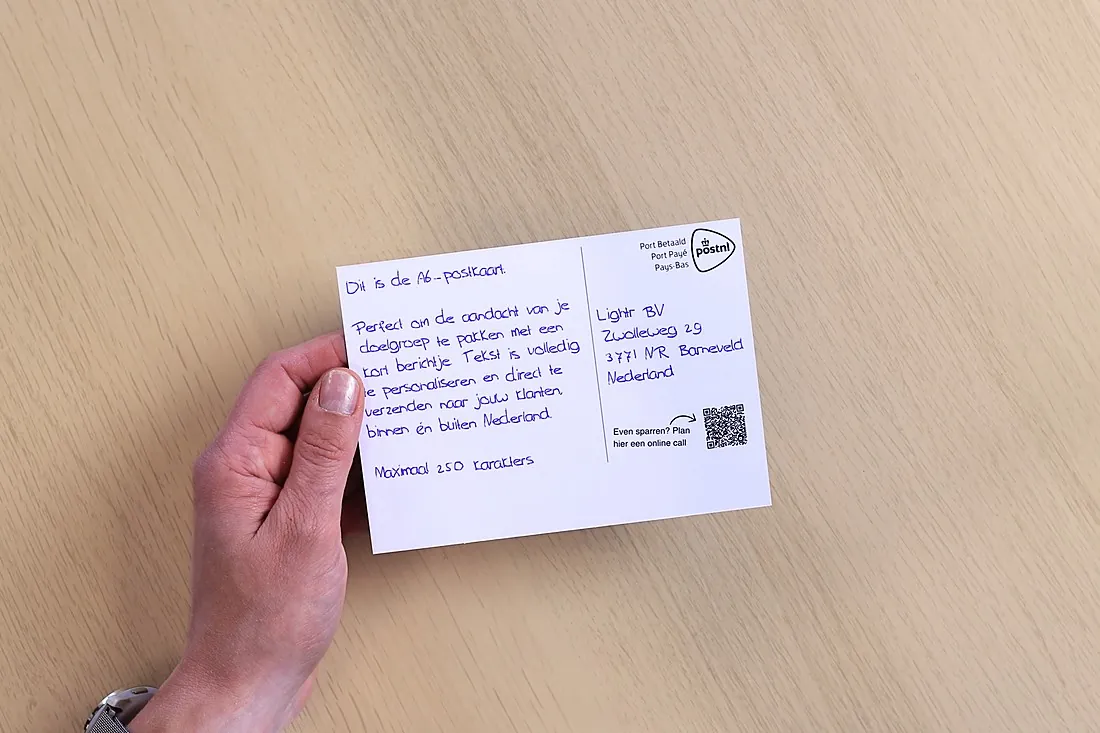
Thank you for coming
Afterwards, with a QR code linking to the photos or the presentation.
From guest list to full house.
You set it up once Your guest list Your invitation Your registration page
- StartGuest list received
- Per guestInvitation written
- In the postSent
- With your guestQR code scanned
- Before the eventRegistered
- ResultA full house
What do you write on an event card?
Hi {first_name}, on {date} we’re hosting {event}, and we’d love you to be there. You can sign up using the code.
Best wishes, {sender}
Dear {first_name}, it really wouldn’t be the same without you. Scan the code to put your name on the list.
Kind regards, {sender}
Hi {first_name}, thank you for coming! Scan the code to find the presentation.
Best wishes, {sender}
Hi {first_name}, sorry you couldn’t make it. Scan the code to see what you missed.
Best wishes, {sender}
Need help getting the message right?We’ll help you write a card text that suits your audience and the moment.Help me get it right
Invite, track who’s coming, and say thank you.
Upload your guest list
One list, a unique QR code for every guest.
CSV Excel
Choose the send date
Set it up now, send it at the right moment.
Scheduling
Thank-you and follow-up
The scan webhook tells you who responded.
Scan webhook HubSpot+ more
Including QR code to register Choose the send date A/B testing AI campaign managerAll integrations
What works well for an event?
Folded card
Room for the programme and the invitation.
Card in an envelope
For an invitation that feels special.
Inviting 500 guests a year
€1.35per card, excl. VAT
Based on 500 cards in one campaign. You only pay for the cards you actually send.
- Postcard A6
- Writing, printing and postage
- Outside the Netherlands, within Europe: €0.65 extra per card
Inviting people to your next event? Make it personal.
Upload your guest list and choose the send date.
- No credit card required
- No subscription
- From a single card
- Free account
Questions about events.
 Can’t find your question?
Jacqueline will be happy to help you personally.
0342 781 008
info@lightr.nl
See all FAQs
Can’t find your question?
Jacqueline will be happy to help you personally.
0342 781 008
info@lightr.nl
See all FAQs
Can each recipient have their own QR code?
Yes, if you like. The QR code is free and it’s up to you whether it goes on the card. With a unique code for each recipient, you can see whether and when it’s been scanned.
How quickly does the card arrive?
Orders of fewer than 2,500 cards are dispatched within two to three working days and delivered by post within seven days of purchase. For larger quantities, you’ll see the current schedule in the platform.
How do I send you my addresses?
Add recipients one by one or upload your own CSV or Excel file as it is. The mapping tool lets you match the columns to the right fields.
Can the cards be sent to our office first?
Yes. With bulk delivery, the whole shipment goes to one address. With a batch, Lightr sends the cards directly to the recipients.
Can I still change an order?
You can do that until the order has been purchased in the platform. After that, it can no longer be changed or cancelled.
What happens to my customers’ data?
The data is stored in the Netherlands. You set the retention period yourself, with a minimum of twenty days. After that, personal data is anonymised. Want to change the retention period? Just get in touch.